Transfer

When you move money from one account to another, you’ll need to record the transaction as a transfer

Create a new transfer

If you need to create a new transfer, here’s what to do:

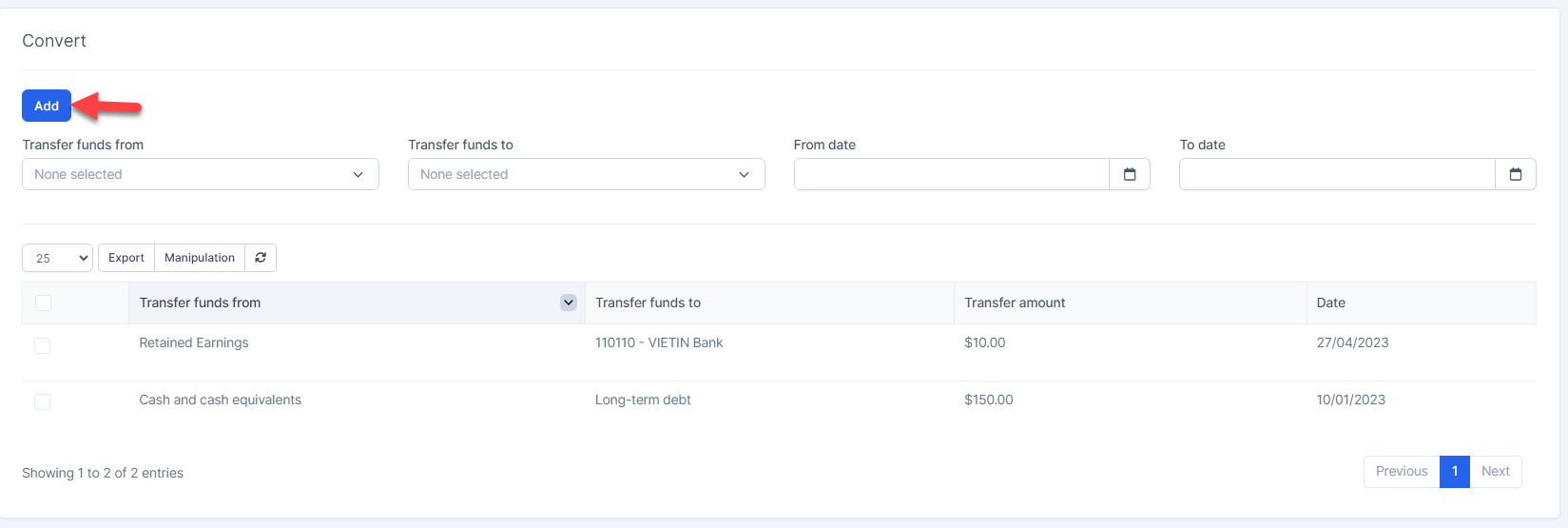
  • Step 1. Go to Transfer menu under the Accounting module -> click on the Add button
download (7)
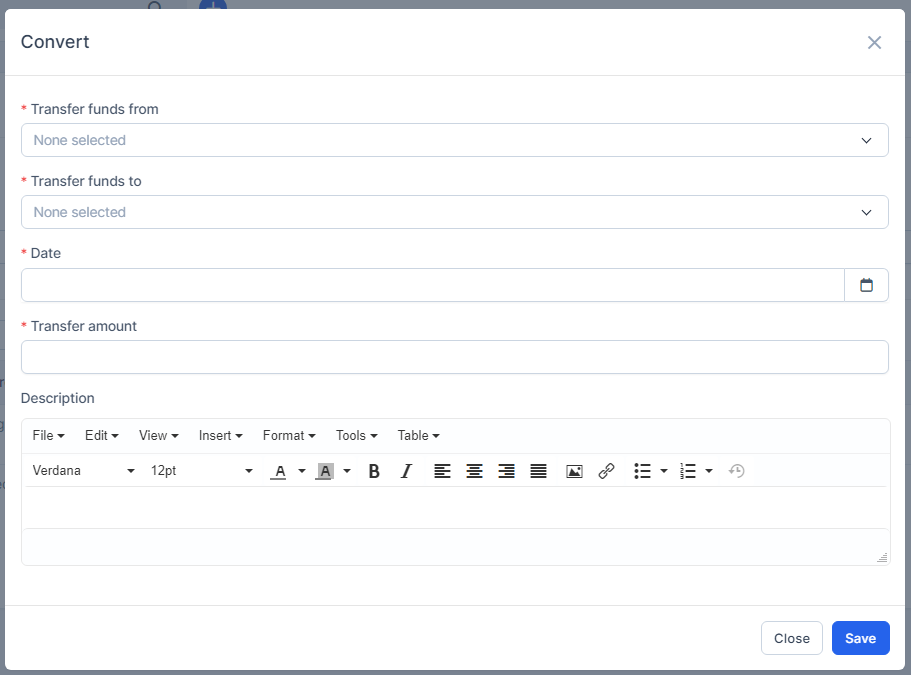
Step 2. In the Convert popup, fill in the following details: 
download (8)

1. Transfer funds from: select the bank account that the money is coming from.
2. Transfer funds to: Select the bank account that the money is coming from.
3. Date: Enter the date of the transfer.
4. Transfer Amount : enter the amount being transferred.
5. Description (optional): Enter any description for the transfer. 

  • Step 3. Click on the Save button.
 

Edit a transfer

If you need to edit a transfer, here’s what to do:
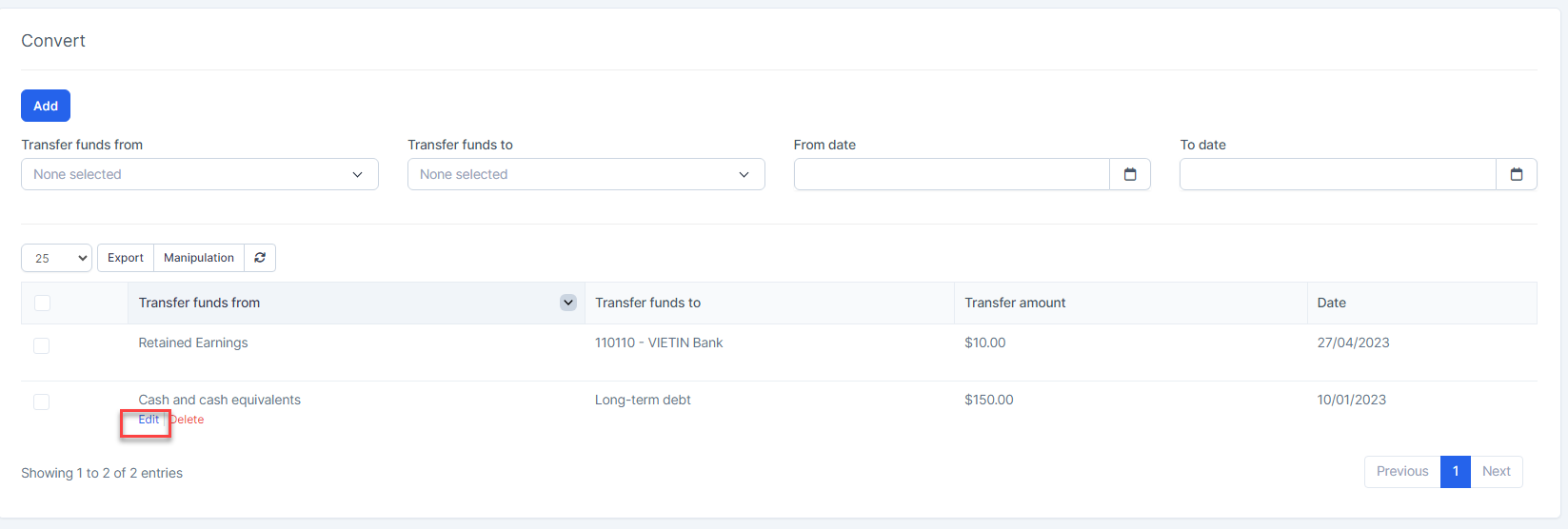
  • Step 1. Go to Transfer menu under the Accounting module. Find and select the transfer you need to edit.
  • Step 2. Click on the Edit 
download (9)
  • Step 3. Make the necessary changes and click on the Save button.
 

Delete a transfer

If you need to delete a transfer, here’s what to do:
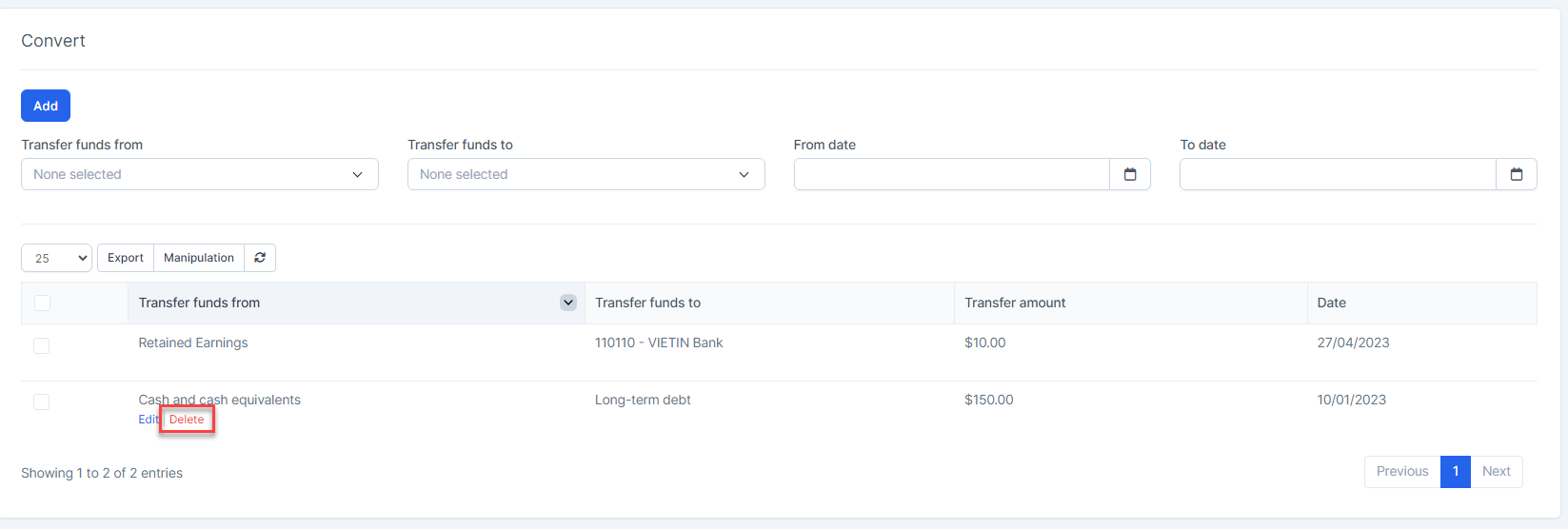
  • Step 1. Go to Transfer  menu under the Accounting module. Find and select the transfer you need to delete.
  • Step 2. Hover over the transfer and click Delete
download (10)

Step 3. Confirm your selection in the following pop-up. The transfer will be deleted.

download (11)

Mass delete

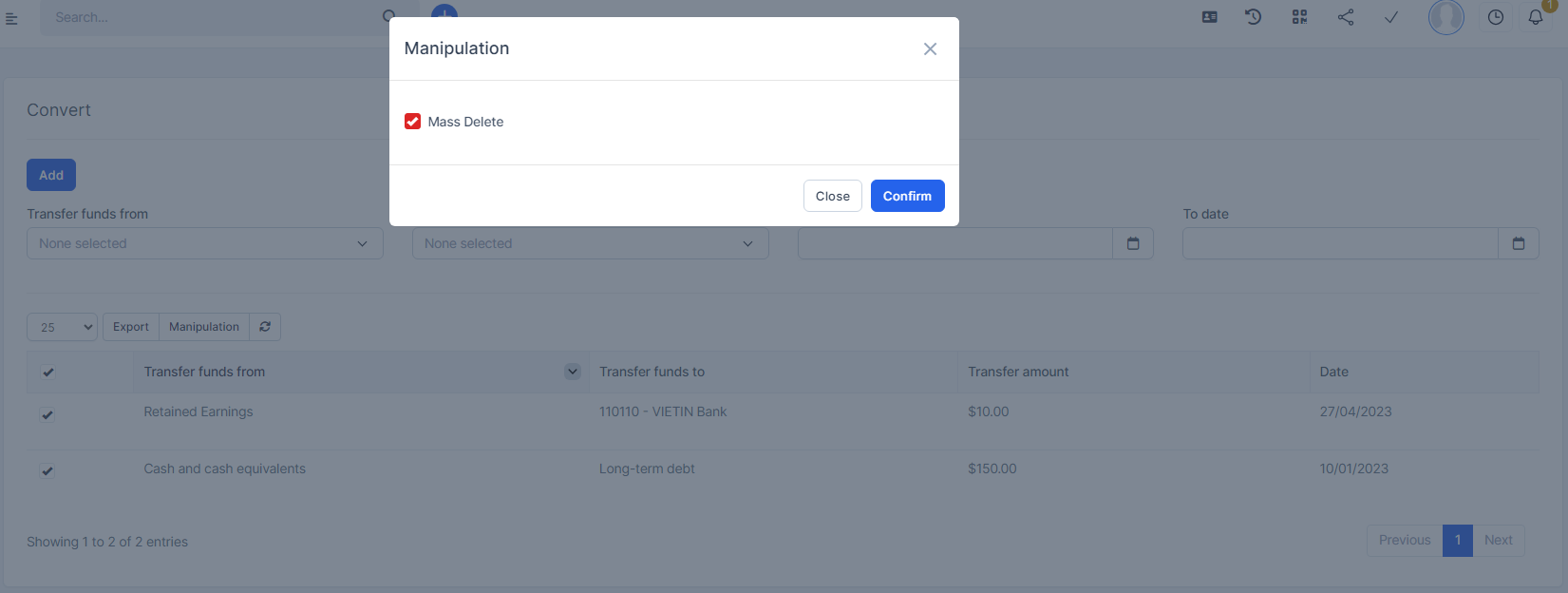
  • Step 1. Select some transfer you need to delete. -> click on the Manipulation-> select the Mass delete -> click on the Confirm button
download (12)

Step 2. Confirm your selection in the following pop-up. That transfer will be deleted.

download (13)