POS

   Create a New Shift 

      To create a new shift, make sure this employee has no open shift

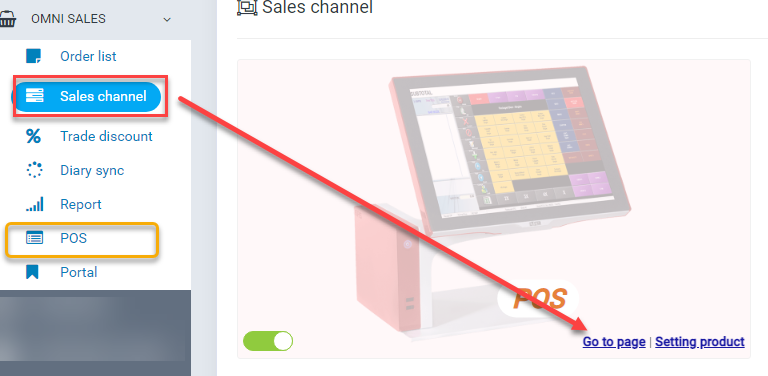
  • Step 1. Go to POS menu under Omni Sales module from the left sidebar.
    Or go to Sales channel menu under Omni Sales module from the left sidebar -> click Go to page at POS
download (34)

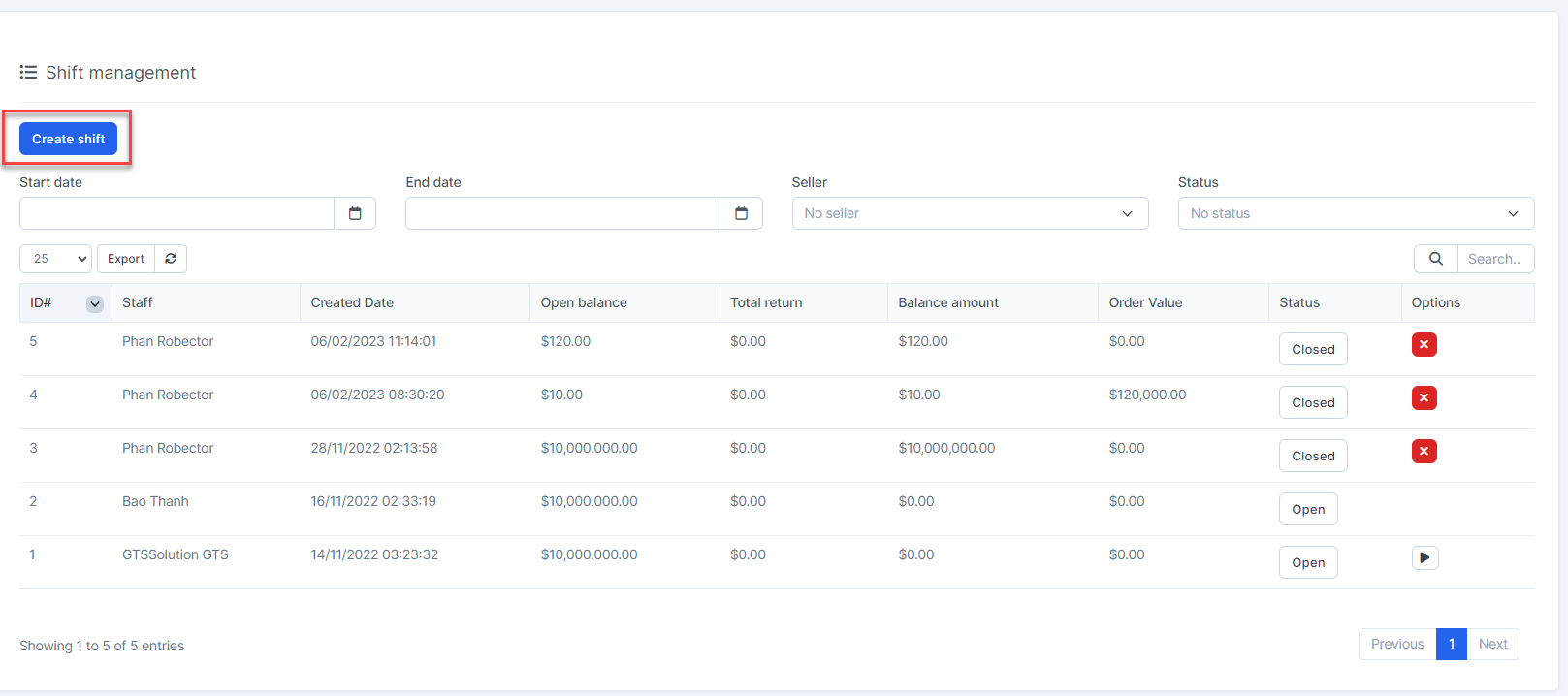
     Step 2. Click Create shift button 

download (35)

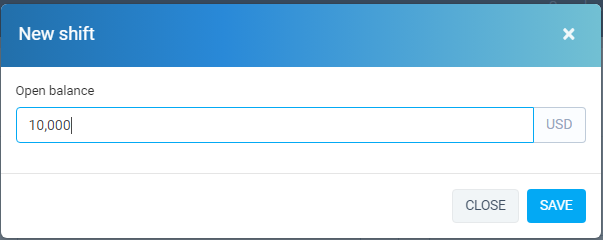
      Step 3. In the New shift popup, enter the Open balance and click Save button 

unnamed (7)

     Close a Shift 

  • Step 1. Go to POS menu under Omni Sales module from the left sidebar.
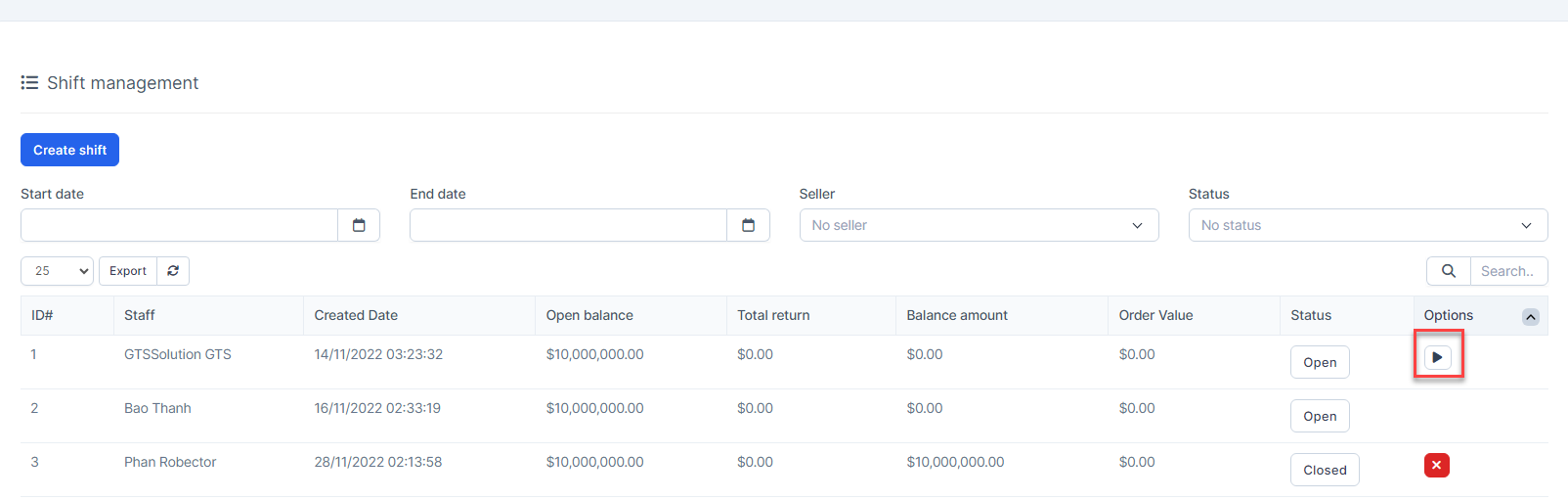
  • Step 2. Select a shift and click 
download (36)
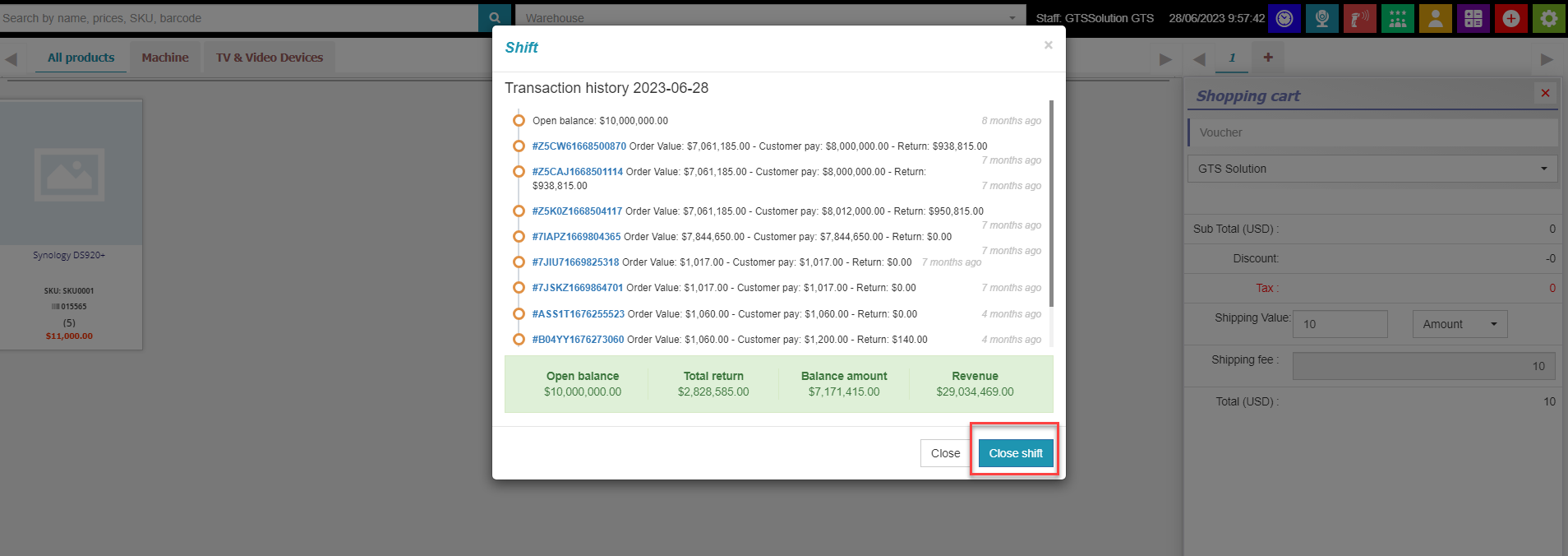
  • Step 3.  click and click Close shift button
download (37)
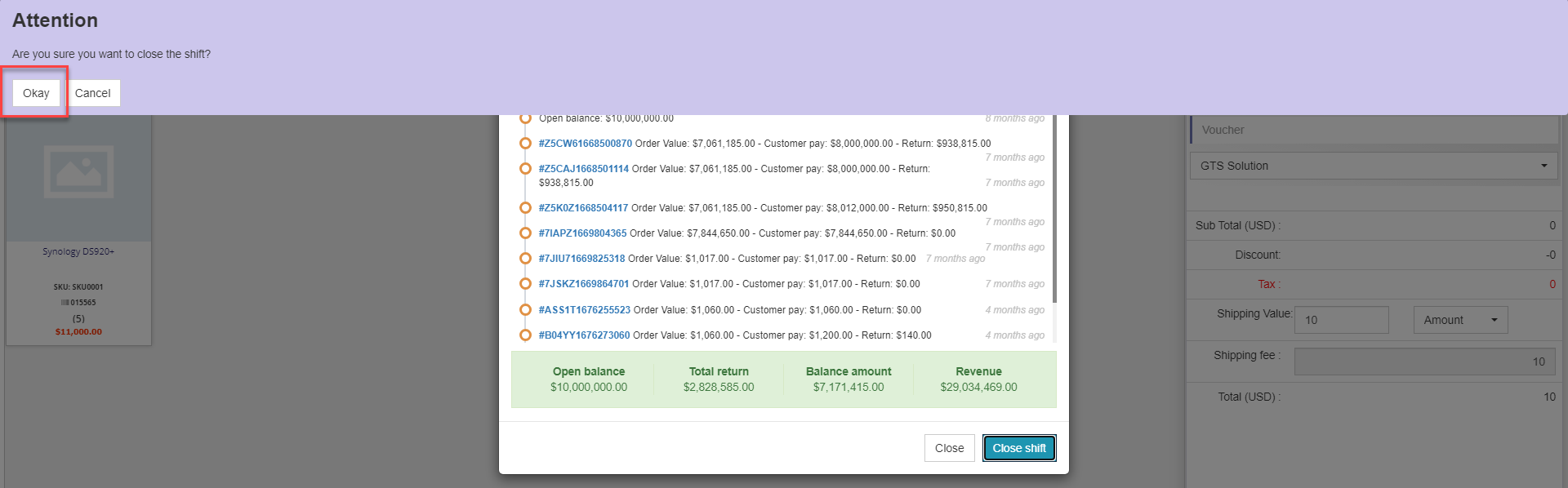
  • Step 4. Click Okay to confirm close this shift
download (38)

   Delete a Shift

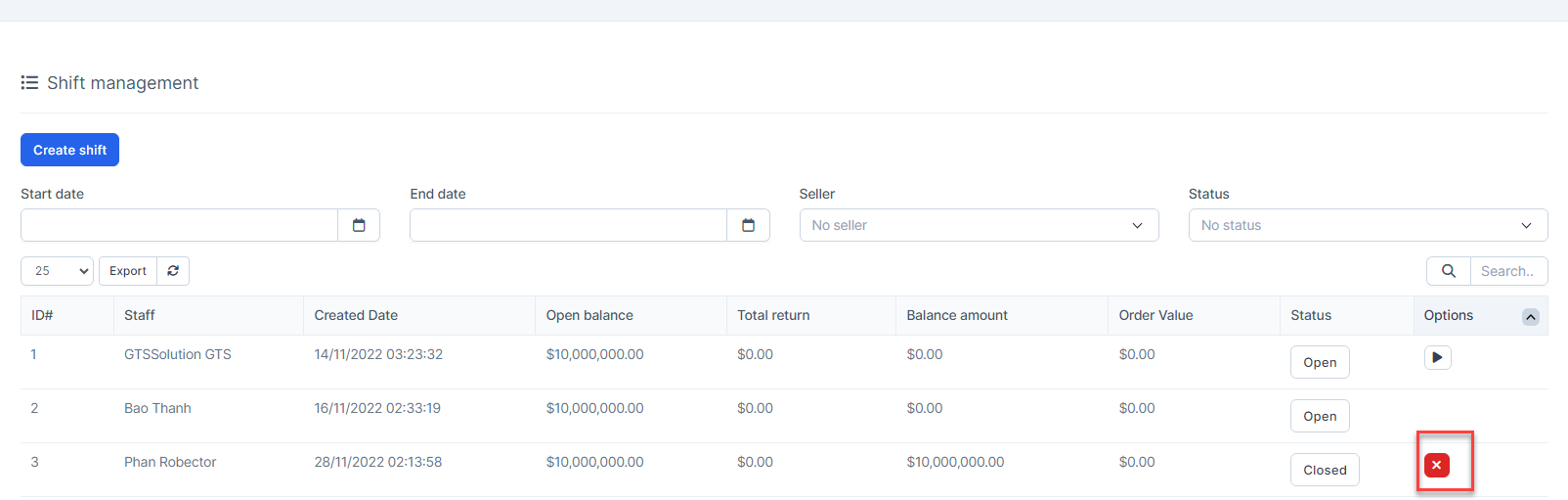
      Only shifts with Closed status can be deleted and only administrators can delete them

download (39)