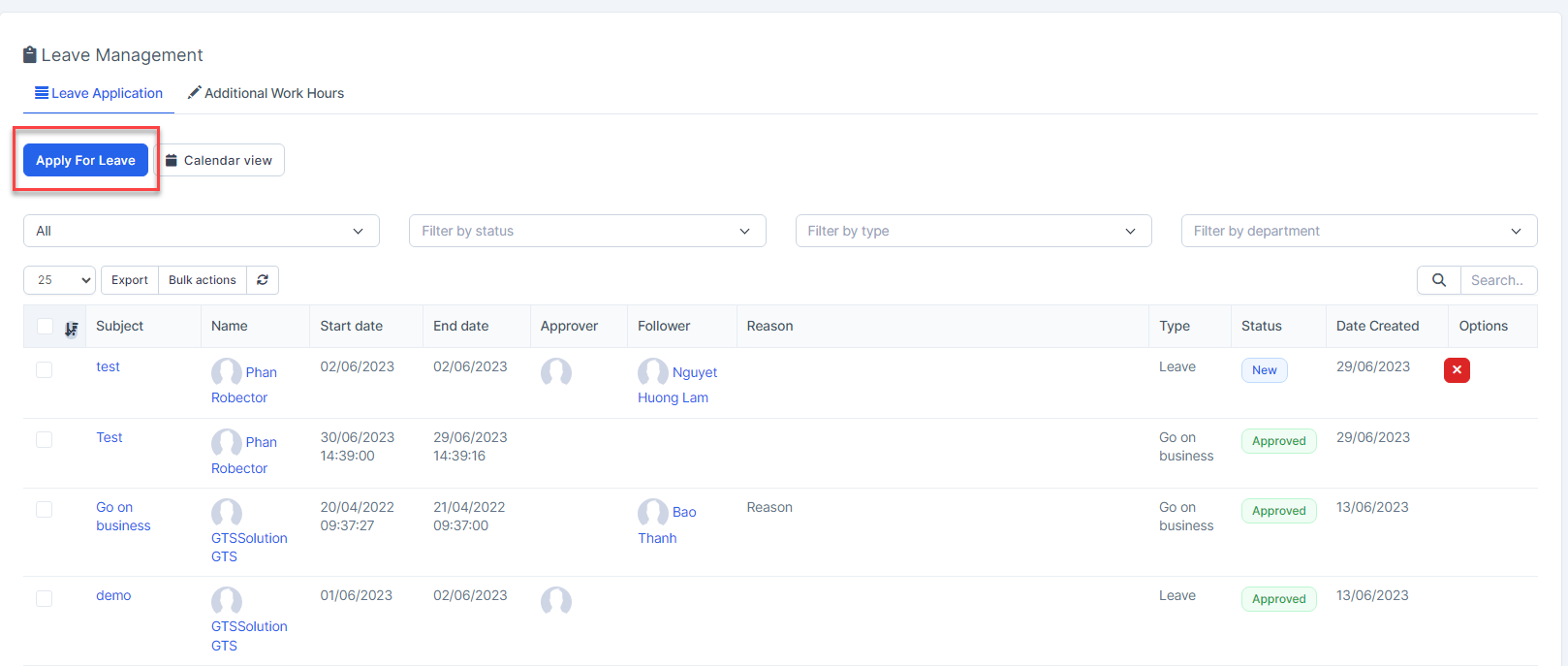
Step 5. Go to Leave menu under Timesheets & Leave module from the left sidebar -> click on the Apply For Leave button.
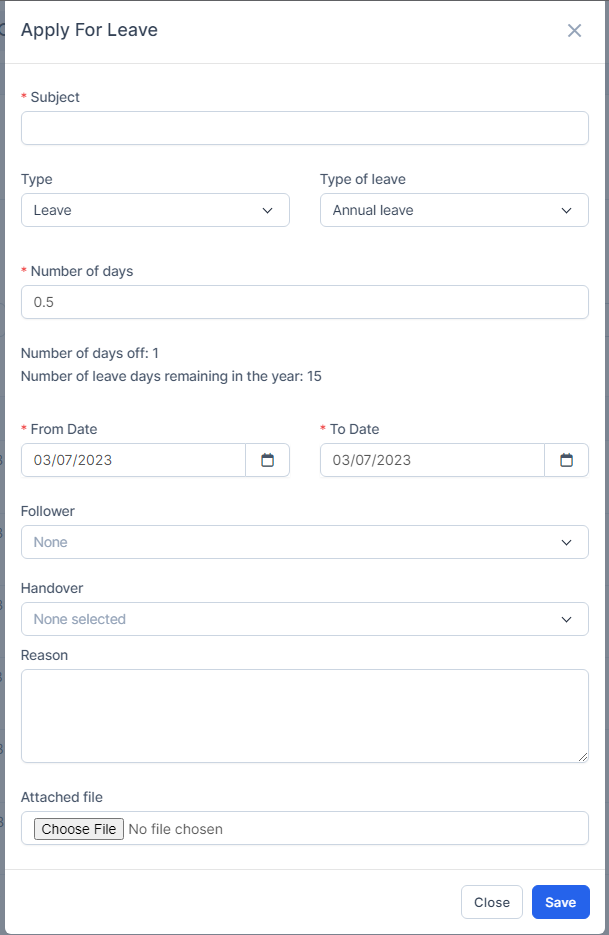
Step 6. In the Apply For Leave popup, fill in the following details:
1. Enter the Subject
2. Select the type is Leave
3. Select the Type of leave: Annual leave, Maternity leave, Private work without pay, Sick leave, other leave.
4. Select the From Date
5. Select the To Date
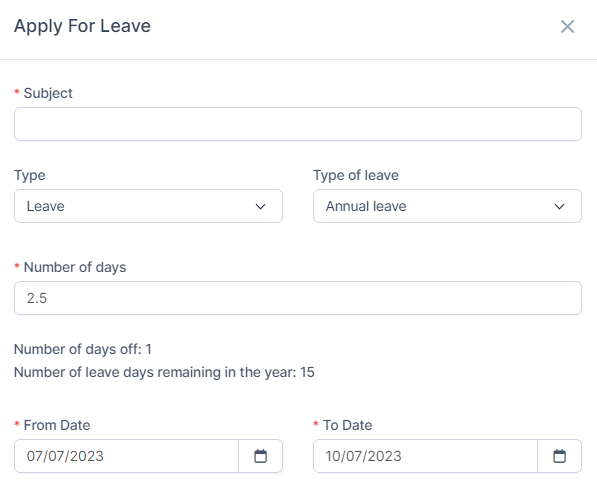
6. Enter the Number of days: Enter 0.5 means half a day off, enter 1 means take a day off. Number of days must be less than or equal to Number of leave days remaining in the year.
Note: The number of days is calculated based on your shift. For example, the working schedule of “phan pha” from July.7, 2023 – July 10, 2023. when creating a leave request, Number of days = 2.5 days. Days without a working schedule (July.9, 2023) are not included in the Number of days.
7. Select the Follower
8. Select the Handover
9. Enter the Reason
10. Upload the attachment file.
Step 7. Click on the Save button
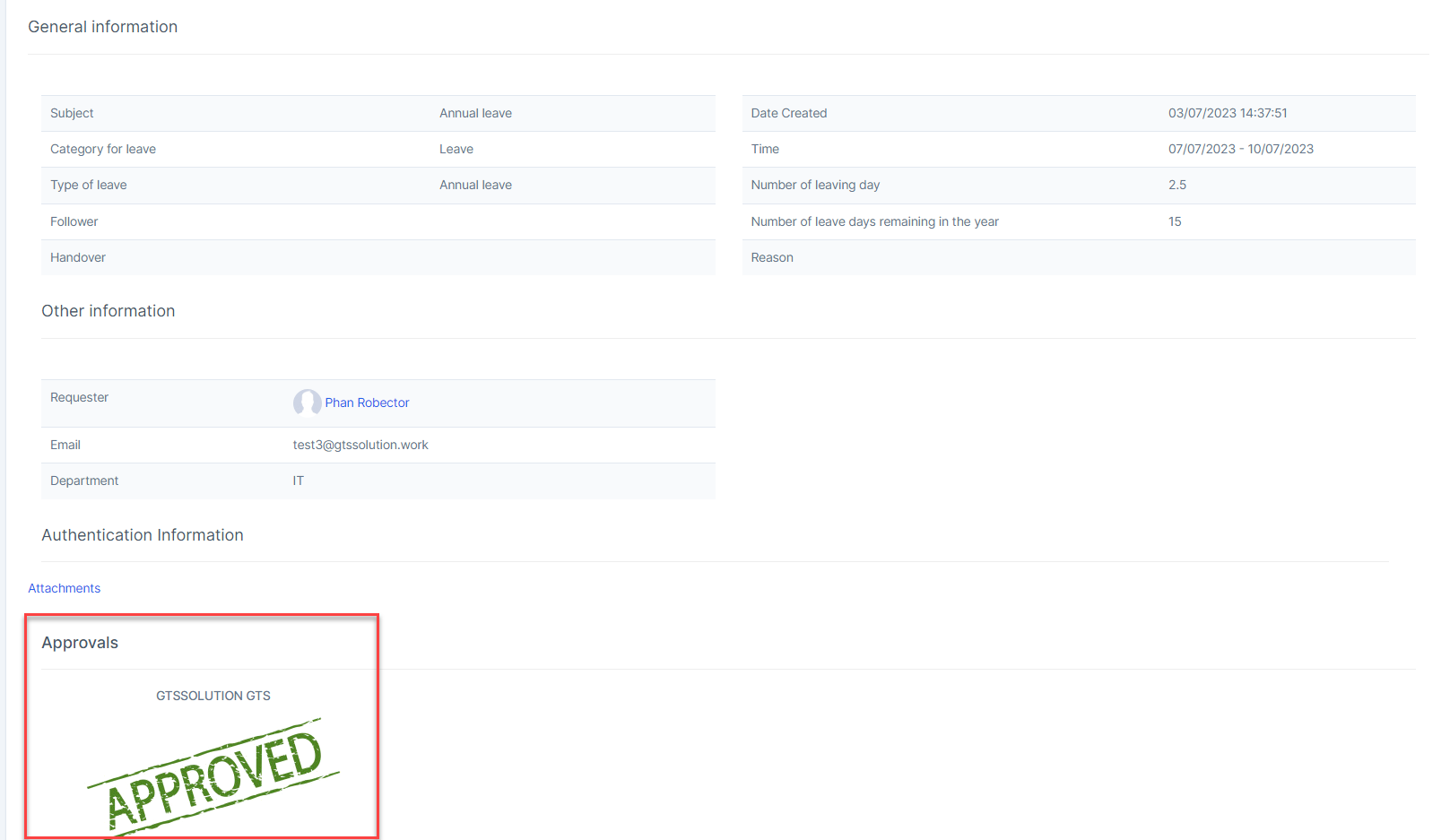
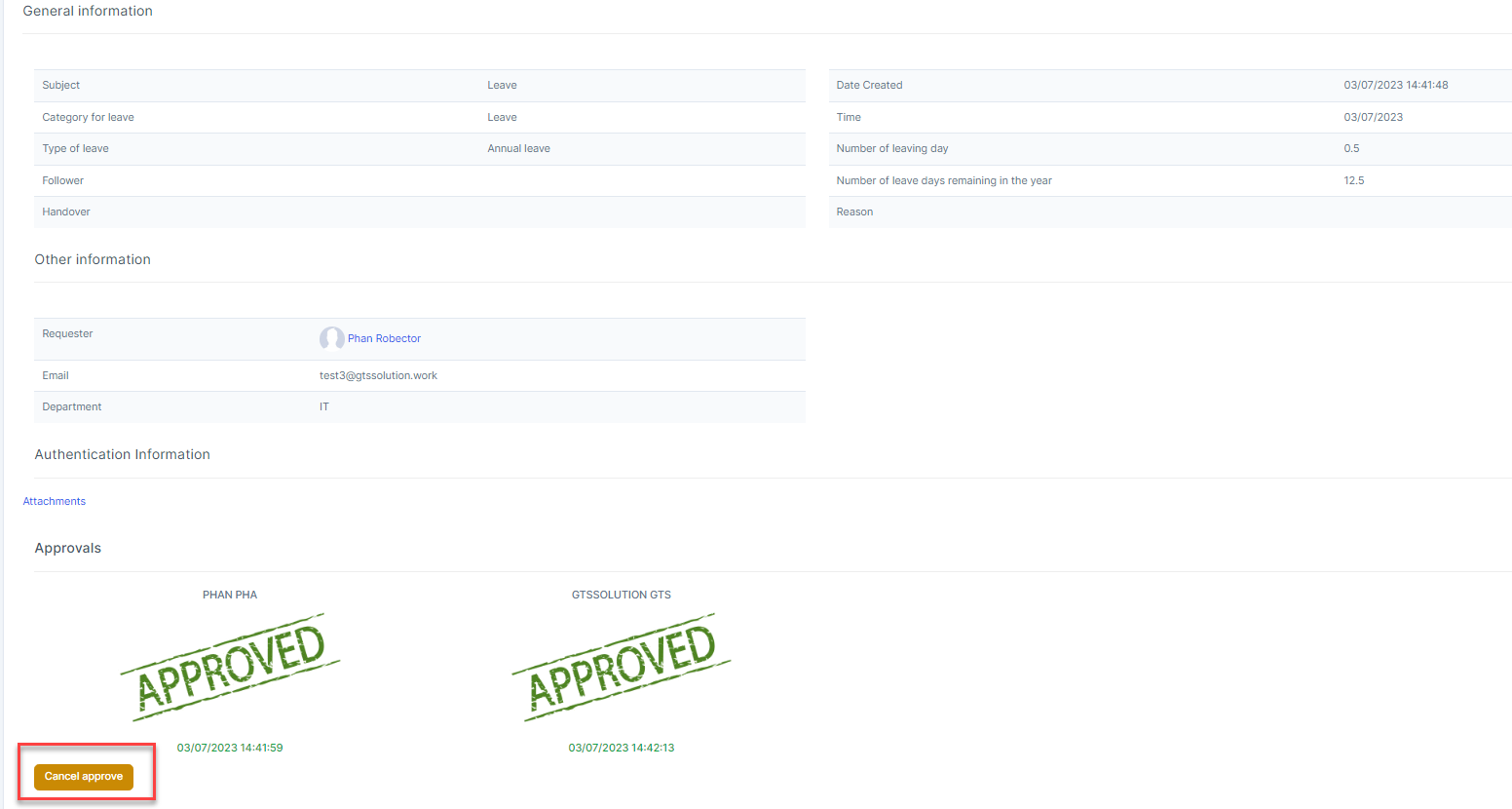
Step 8. Approve this request
The symbol “AL” is displayed on the timesheet.
Cancel Approve
If you are the administrator, you can cancel the annual leave requests approval
Shopping Basket
We use cookies on our website to give you the most relevant experience by remembering your preferences and repeat visits. By clicking “Accept”, you consent to the use of ALL the cookies. However you may visit Cookie Settings to provide a controlled consent.
This website uses cookies to improve your experience while you navigate through the website. Out of these cookies, the cookies that are categorized as necessary are stored on your browser as they are essential for the working of basic functionalities of the website. We also use third-party cookies that help us analyze and understand how you use this website. These cookies will be stored in your browser only with your consent. You also have the option to opt-out of these cookies. But opting out of some of these cookies may have an effect on your browsing experience.