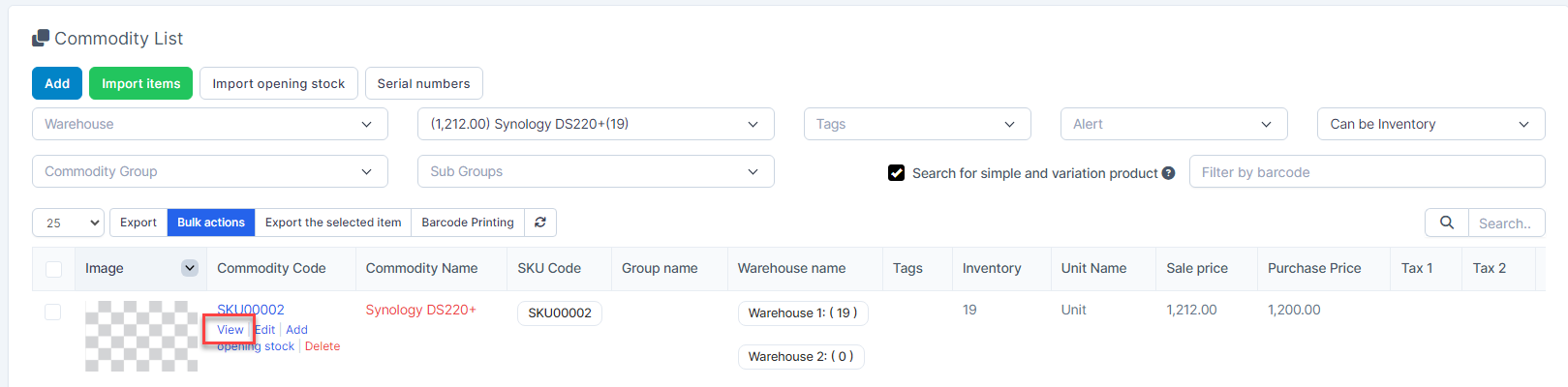
Step 1. Go to the Inventory module in the left sidebar and select Items menu
Step 2. Hover over the item and click View
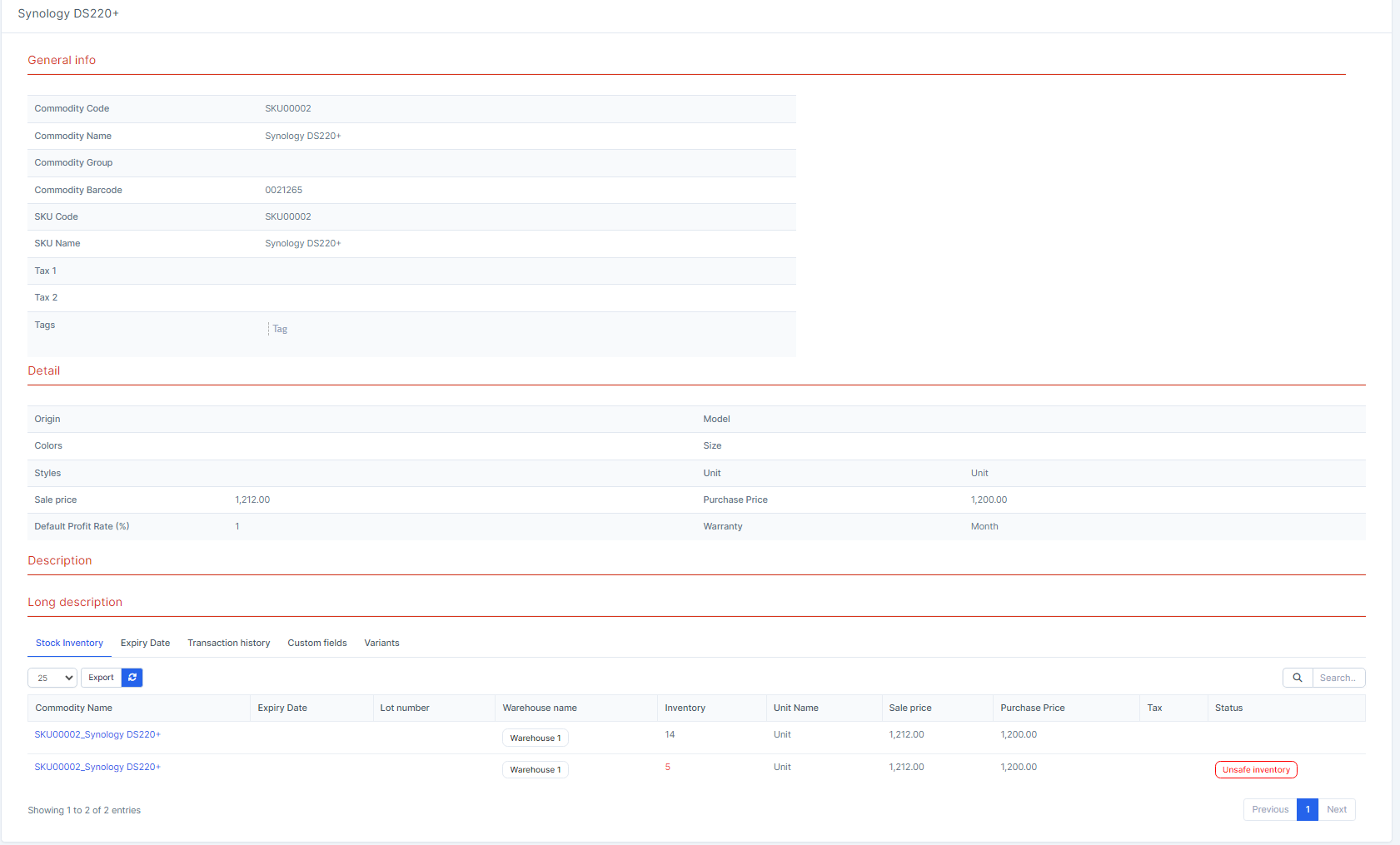
In the Item Detail page:
General info : displays the information entered in the General info tab in the Add Items form
Detail: Displays the information entered in the Properties tab in the Add Items form
Description: data is entered in the Description field at the General info tab in the Add Items form
Long Description: the data is entered in the Long description field in the Properties tab in the Add Items form.
Stock Inventory tab: display product inventory by warehouse, Lot number, Expiry date.
Expiry Date tab: displays expired products if the Expiry date is entered when entering the warehouse for the product
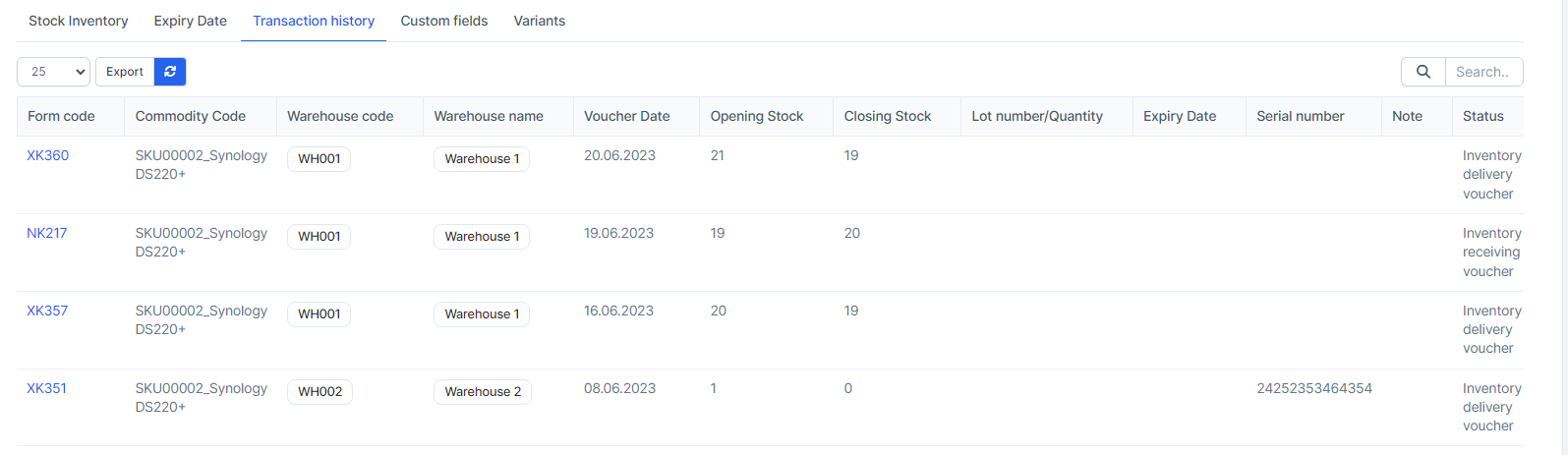
Transaction history Tab : record the history of inventory import, export, warehouse transfer, inventory adjustment, display beginning inventory, ending inventory through each transaction.
Custom fields tab: display the custom fields of the item.
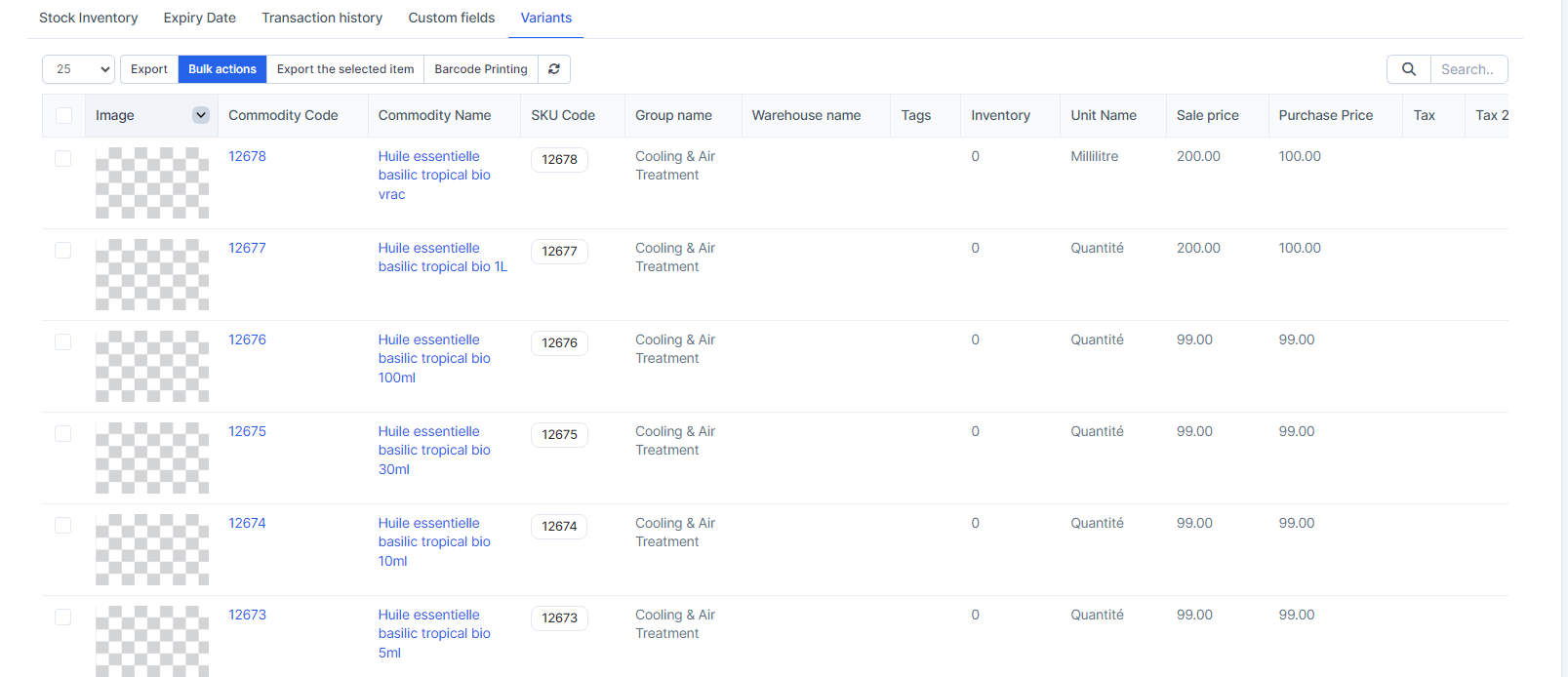
Variants tab: display product variations
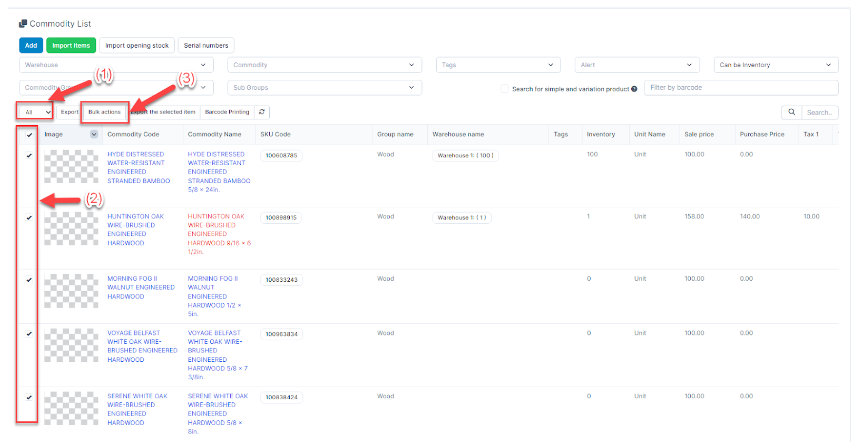
Clone items
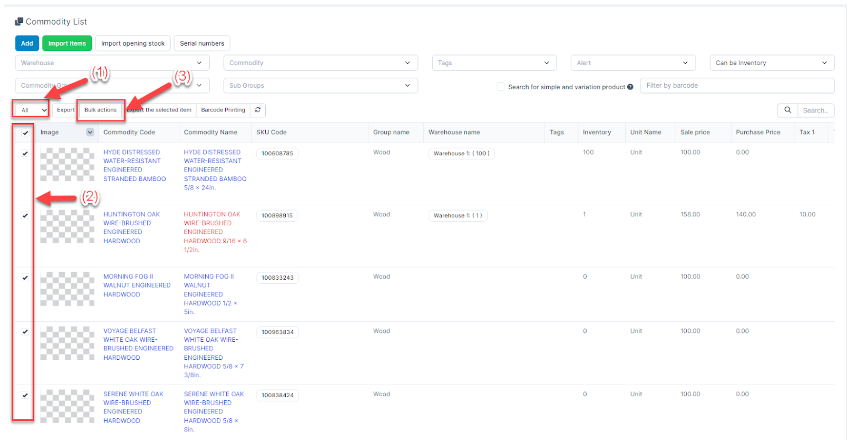
Step 1. Select the items to be cloned and press Bulk action.
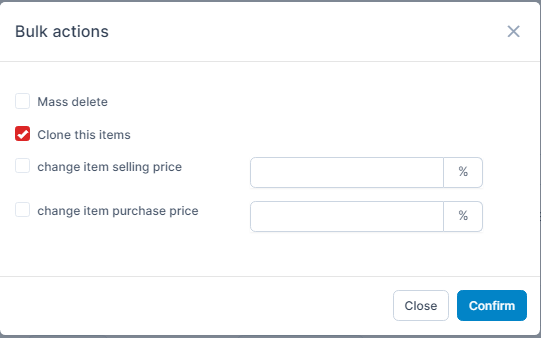
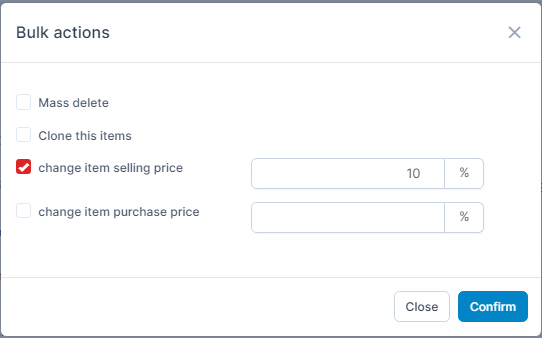
Step 2. Check “Clone this items” -> click Confirm button
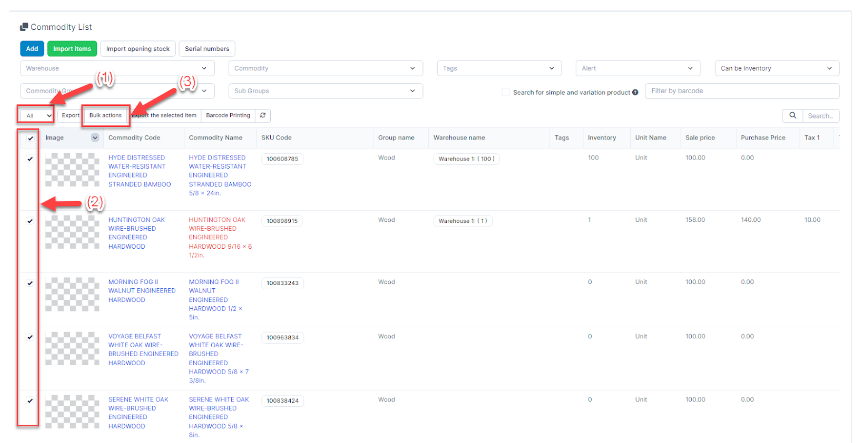
Change item purchase price
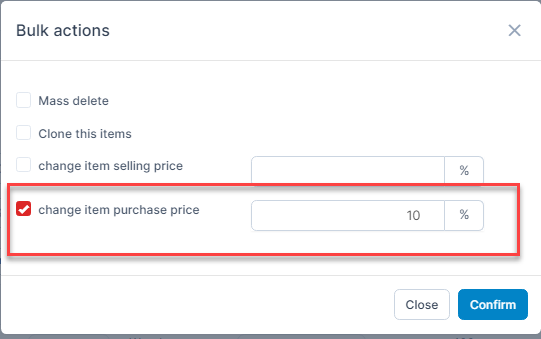
Adjust the purchase price of multiple items at the same time by a certain percentage
Enter a positive value if you want to increase the purchase price, enter a negative value if you want to decrease the purchase price.
Step 1. Select the items to be changed purchase price and press Bulk action.