Dependants
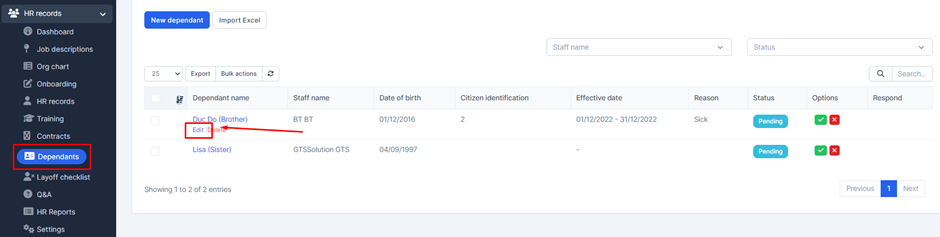
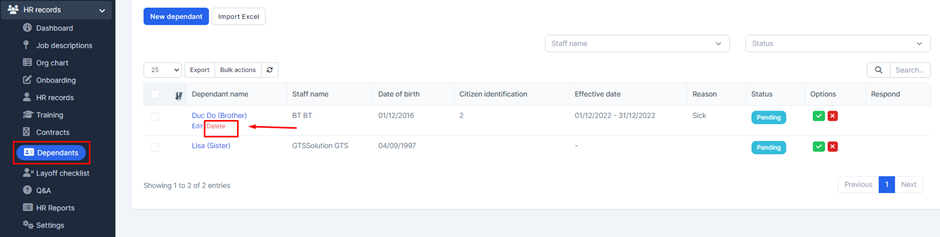
The Dependants screen is used to create and manage employee dependent claims. When an employee adds a new dependent data in his or her information, that data will be synchronized and displayed on this screen for review. Admin or staff with this screen permission can also add new dependent data
Create new dependent
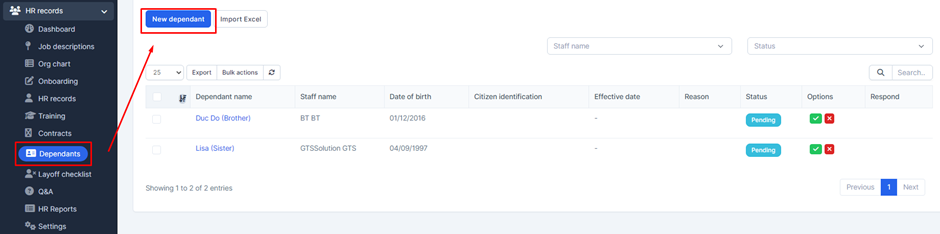
– Step 1: Select menu Dependants -> Select New Dependant
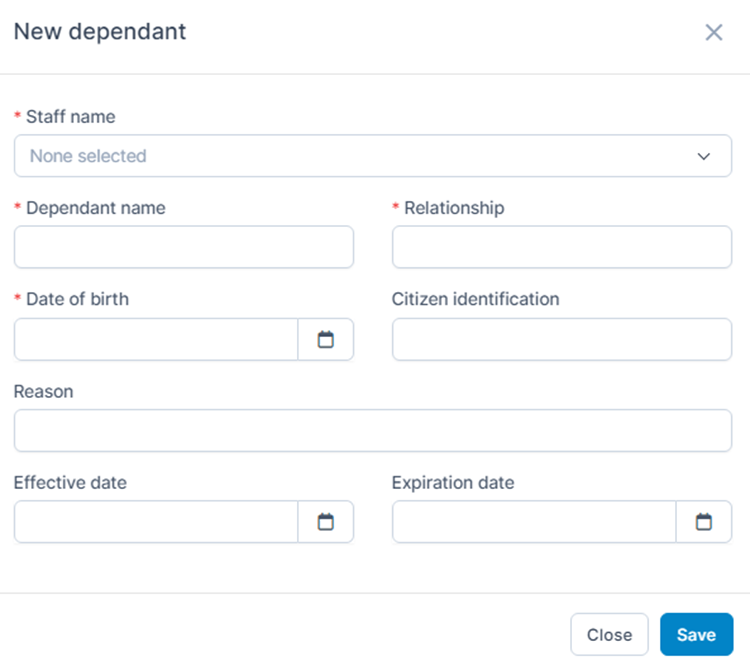
– Step 2: The system will display the New dependant screen -> Proceed to enter the necessary data -> Then click Save to save the operation or select Close to close the screen and cancel the operation just done